Best Practices for Designing Sequence Diagrams via PlantUML

Highlights
-
Prioritize simplicity to make sequence diagrams easy to understand.
-
Use consistent standards to improve collaboration and scalability.
-
Design diagrams as communication tools, not visual artifacts.
Diagram coding is becoming increasingly popular because writing diagrams as code is often much faster than creating them in graphic design tools, where you can run into everything from visual bugs to accessibility issues. AI assistants are also better at generating code than producing polished illustrations.
We might hope that one day AI will create high-quality diagrams that are clear to all stakeholders and visually appealing. For now, AI output works well as a starting point, but not as a final result ready for discussion. Human involvement is still essential.
PlantUML is a flexible tool that supports many UML diagram types and offers fine-grained control. But learning to use that flexibility means digging through extensive documentation — and time is our most valuable resource.
In this article, I’ll use a sequence diagram to highlight 9 key points that will help you quickly create or refine a PlantUML script and produce a clean, easy-to-understand result.
1. Keep Participant Declarations Simple
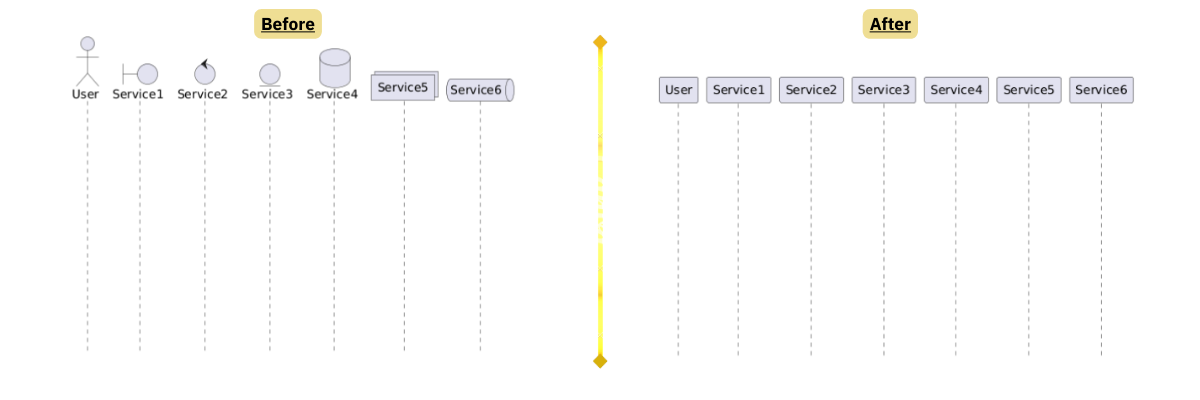
PlantUML allows you to represent participants as databases, collections, entities, controls, and more. While these shapes may look expressive, they introduce an additional visual layer that many stakeholders do not actually interpret correctly. For example, most people won’t understand the difference between a participant and an entity anyway
In practice, the exact technical nature of a participant (queue, database, broker, and so on) is often less important than how it interacts with others. Using different shapes can unintentionally suggest different levels of importance or responsibility, even when that’s not the intent.
Unless your team already shares a well-established visual language, it’s usually better to declare all actors as simple ‘participants’. This keeps the diagram visually clean and shifts the focus to the flow of messages rather than the infrastructure behind each box.
2. Use the Simplest Arrow Types
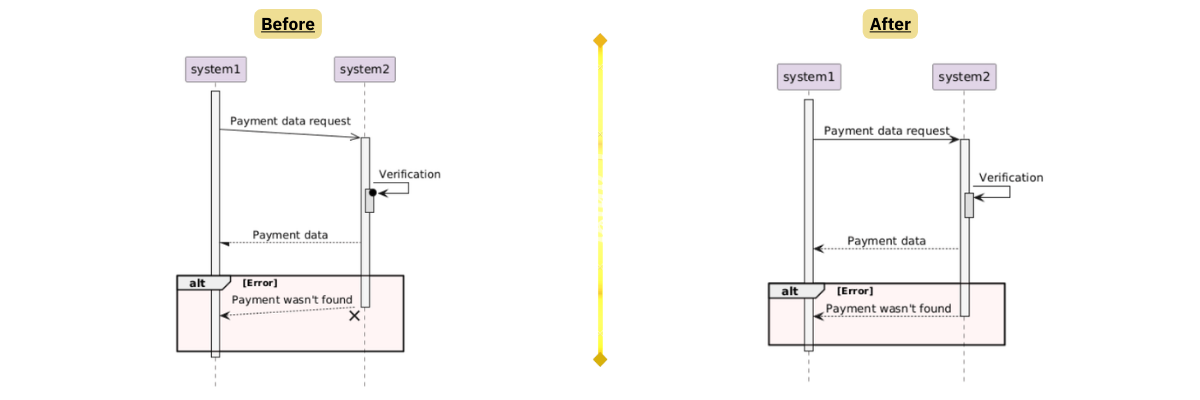
Sequence diagrams technically allow many arrow styles to express nuances like synchronous vs asynchronous calls, returns, lost messages, and more. However, in real project discussions, most stakeholders do not interpret these differences correctly.
Using too many arrow types turns the diagram into a legend-decoding exercise instead of a communication tool. In most cases, it’s enough to standardize on just one arrow style for regular requests and, optionally, one more for clearly asynchronous interactions.
Less visual variety means less cognitive load and faster understanding.
3. Create a Diagram Style Guide to Define Rules of the Game
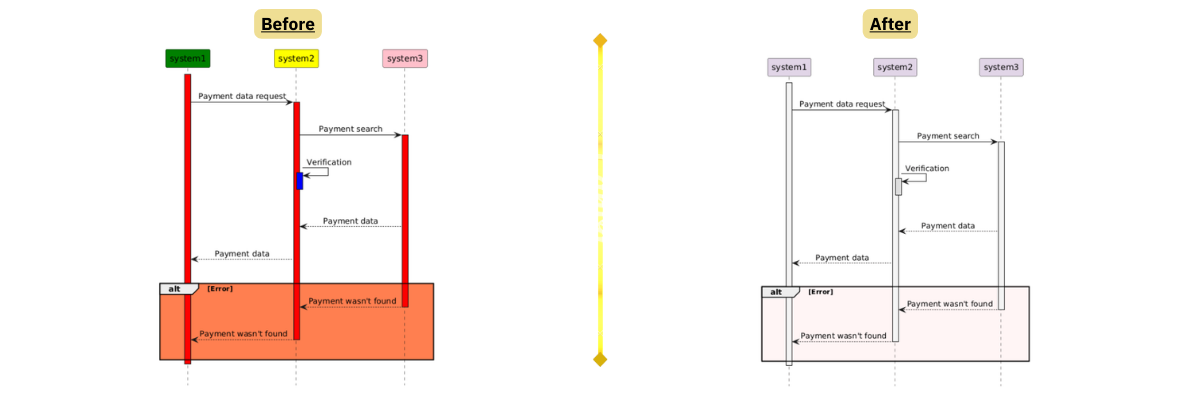
Without a shared style guide, every diagram risks becoming a small piece of personal art. Even if each one is technically correct, differences in colors, naming, alignment, and structure make the overall documentation feel inconsistent and harder to navigate.
A diagram style guide is not about visual perfection. It’s about predictability. When readers know what certain colors, note styles, or grouping patterns mean, they can focus on the scenario instead of decoding the layout.
Your guide can include practical rules such as how to name participants, how to split large diagrams (using dividers or “note across”), and which RGB color codes (if any) are allowed for highlighting.
Over time, this consistency lowers the entry barrier for new analysts and developers, and makes your documentation easier to scale across teams and projects.
4. Use Spacing and Padding Intentionally
Sequence diagrams are not posters where you must fit everything onto one screen. White space is not wasted space. It’s a visual tool that helps separate logical steps and phases of interaction. Adding vertical spacing between logical blocks makes the scenario easier to scan and discuss.
If you have to choose between a taller diagram and a denser one, choose taller. Scrolling is cheaper than confusion.
5. Center-Align Labels
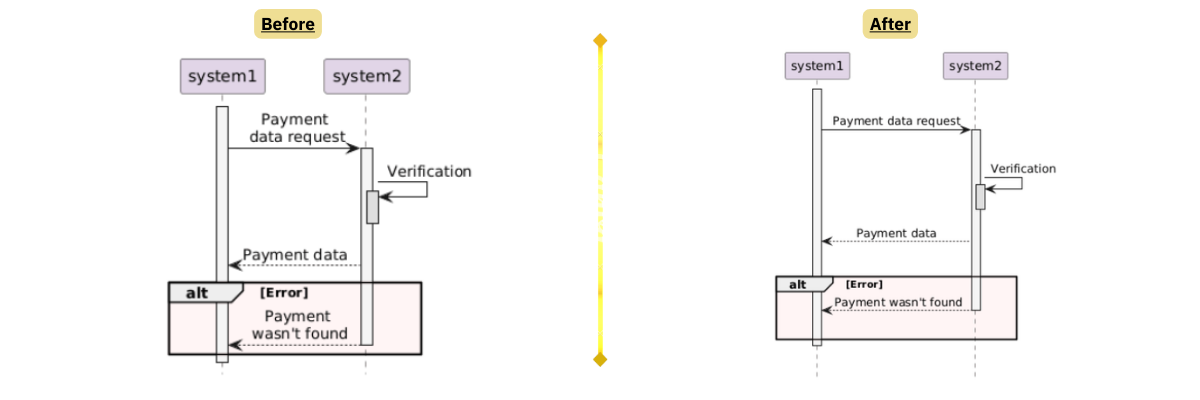
Center alignment is a well-established, visually neutral default that works in most scenarios. Left- or right-aligned text, on the other hand, can end up visually clashing with lifelines, especially when labels are long. This may cause the text to appear too close to vertical lines or even seem to overlap them, creating visual clutter.
By sticking to center alignment, you reduce the risk of these collisions and keep the diagram cleaner and easier to read.
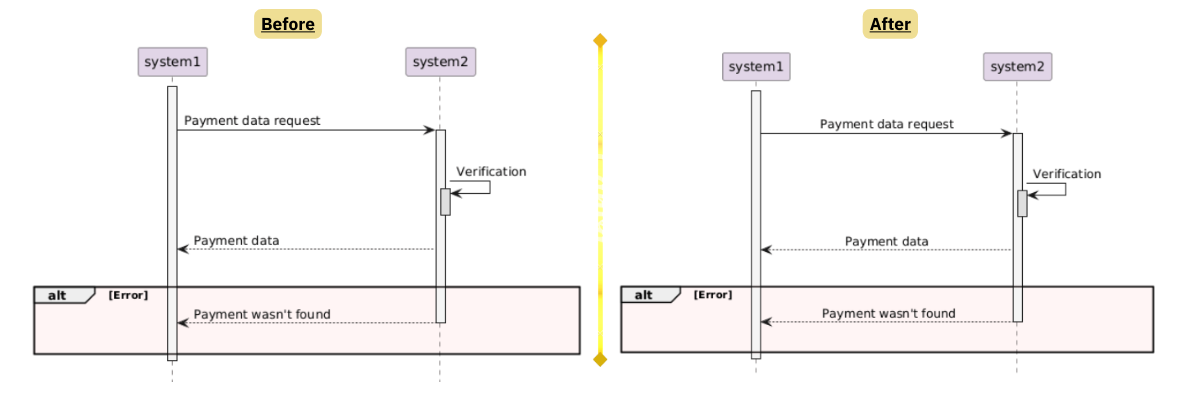
6. Improve Clarity with Activation Bars and Sub-Activations
Activation bars show when a participant is actively performing work, not just sending or receiving a message. Without them, a sequence diagram can look like a simple linear chat, even when the actual behavior involves processing, waiting, or nested calls.
Sub-activations are especially useful when one component orchestrates several internal or external operations. They help visualize call nesting and make it clear which operations happen within the context of a larger process.
This becomes critical in asynchronous scenarios — such as message brokers, callbacks, or WebSockets — where a participant may trigger work and then continue independently. Activation bars make it easier to see where the flow is blocking and where it is not.
As a bonus, clearly modeled activations often reveal logical gaps in the scenario itself, such as missing responses, unclear ownership of processing, or steps that were assumed but never explicitly shown.
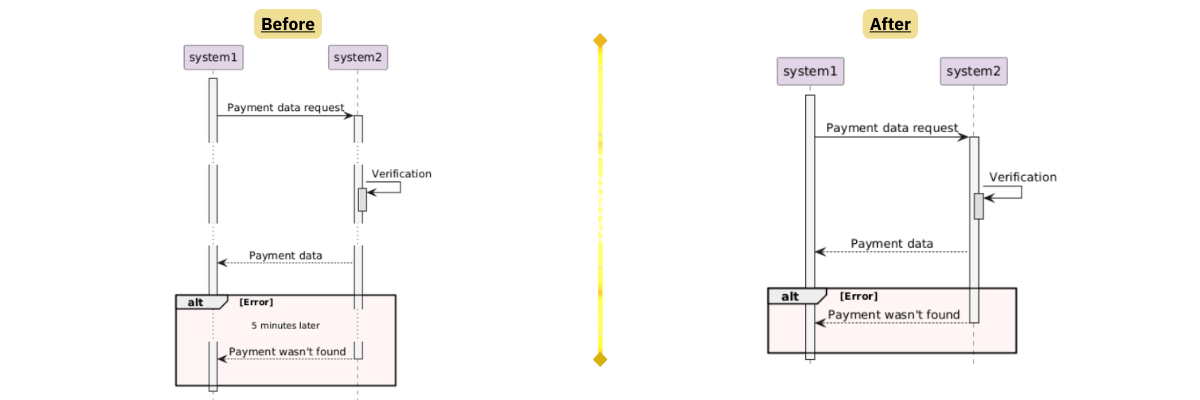
7. Stop Looking for a Reason for Using Delays
Delays may seem like a convenient way to show that “something takes time,” but visually they break the flow of the diagram and shift the reader’s focus from logic to timing. This often creates more questions than clarity, especially when the exact duration is not relevant.
In most business and integration scenarios, it’s clearer to explain waiting periods using notes or by grouping steps into logical phases. These approaches keep the diagram structured and avoid turning it into a pseudo–timing diagram. Moreover, it looks way cleaner on a diagram.
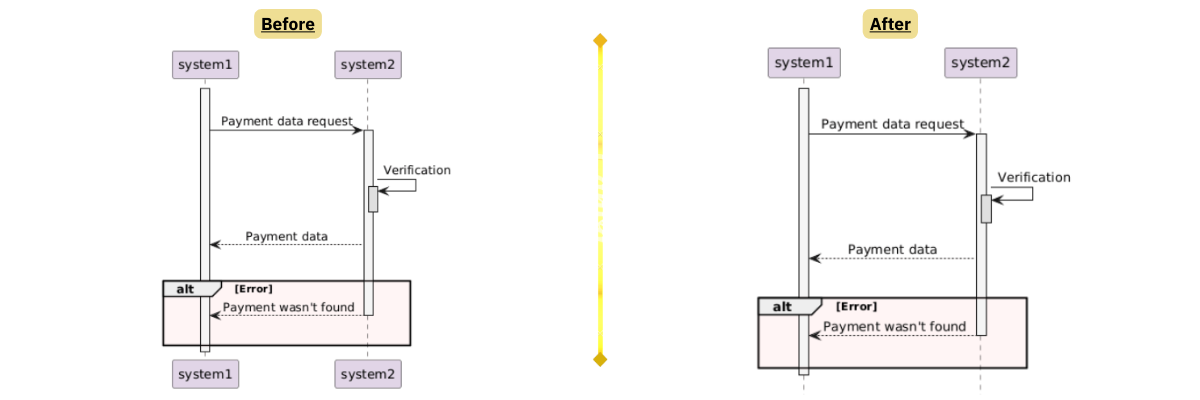
8. Hide Footers
Footers repeat the participant labels that are already shown at the top of each lifeline by default. This duplication does not add any new information, but it does make the bottom of the diagram heavier and more cluttered.
Since sequence diagrams are about understanding interactions, not decorating the page, it’s better to remove any repeated structural elements that do not help explain the flow. Large diagrams will need scrolling anyway, whether up or down. On small diagrams, footers just feel like a relic.
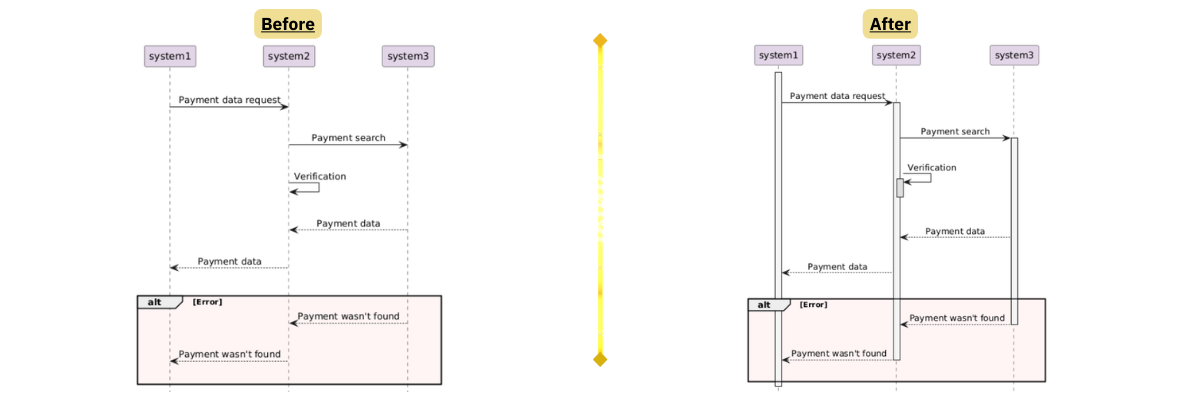
9. Split One Huge Diagram into Two Ones
A sequence diagram is a communication tool, not a proof that you have modeled every possible detail in one place. When a diagram becomes too large, it overwhelms the reader’s working memory and makes discussions slower and less effective. So even though there are different ways to section a diagram, it’s often better to create two or three smaller ones that are easier to read.
A useful rule of thumb is: one diagram — one main purpose. For example, one diagram can focus on the happy path, while another covers error handling.
Smaller, focused diagrams are not only easier to read, but also easier to maintain. When the process changes, updating a targeted diagram is far less risky than editing a single massive one where everything is tightly packed together.
Wrap Up
In conclusion, a good diagram is one you can create quickly from scratch, update just as quickly, and that’s clear to everyone involved in the discussion — from the most experienced experts to those who don’t need to be system analysis pros.
Remember that a diagram is not a piece of art and not a formal UML exercise. It’s a thinking and communication tool. Its job is to make complex interactions easier to discuss, question, and improve. If a diagram helps the team notice gaps, misunderstandings, or risky assumptions, it’s already doing its job well.
So, use these tips, and your diagrams will look both professional and easy to understand.

Artem Rynkovskii is a Senior Business Analyst at Exadel.
He is an IT Business Analyst with over 8 years of experience in IT consulting and product development. Throughout his career, he has worked across multiple domains, including fintech, e-commerce, retail, healthcare, and pharma.